Free QR Code for vCard Generator

Create digital business card scannable vCards for resumes, brochures, or marketing materials instantly. High-fidelity contact integrations, vector scaling, and zero watermark limits.

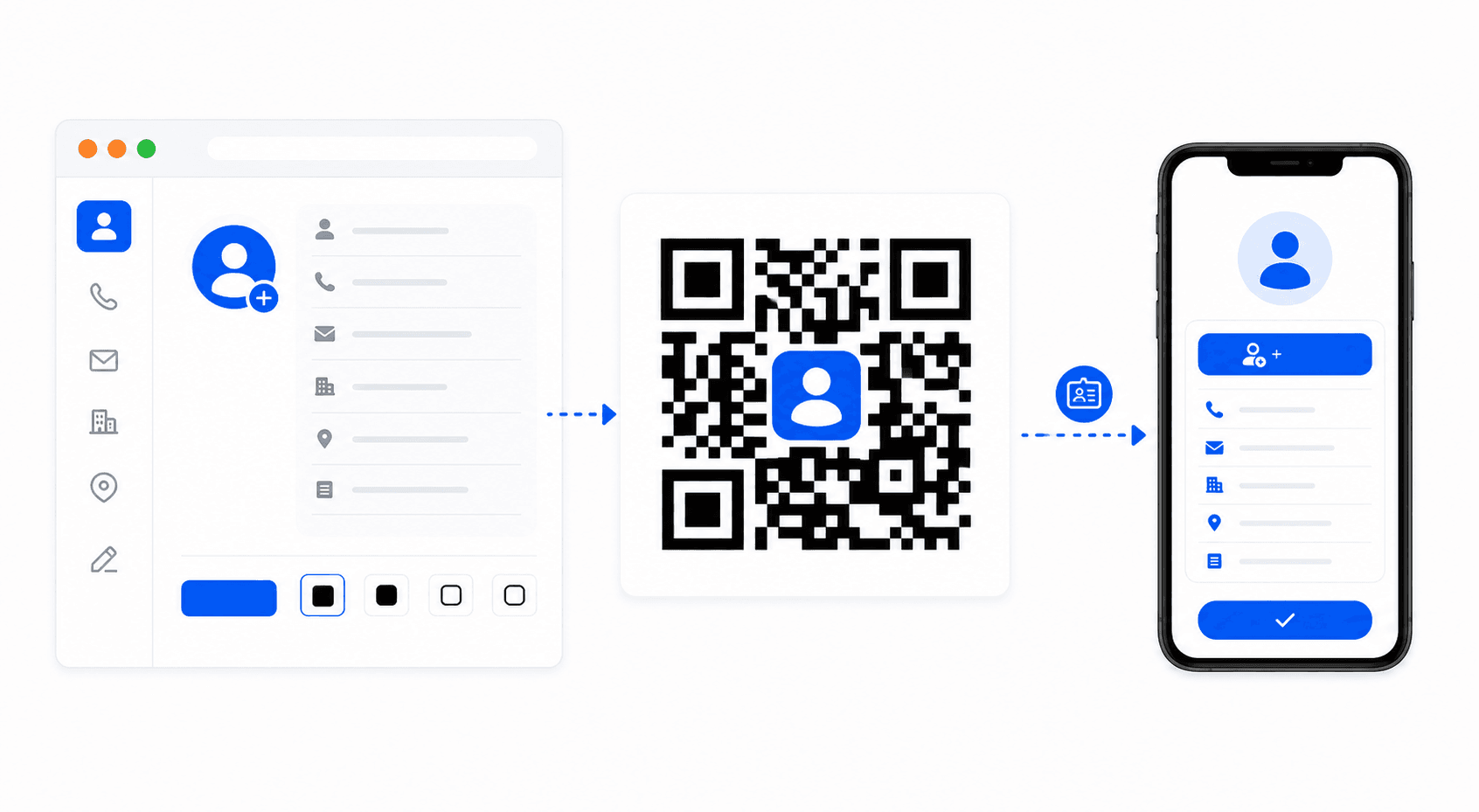
vCard QR code generation workflow

Digital Address Cards: vCard v3.0 standard explained

Paper business cards are often discarded. A vCard QR code resolves this issue by encoding structured contact cards (using industry recognized vCard v3.0 parameters) parsed immediately by smartphone operating systems:

  • Full Name (FN:): Directs scanner parsing engines how to file your individual contact first and last name records.
  • Phone Number (TEL:): Stores standard mobile or office phone lines for direct dial actions.
  • Email Address (EMAIL:): Automatically populates mailing records on default desktop or smart client composers.
  • Website link (URL:): Connects cardholders instantly onto professional LinkedIn bios, portfolio redirects, or corporate homepages.
Frequently Asked Questions

Select the vCard tab in the generator above. Input your full name, phone number, email address, and personal website URL. Style the colors, and click to export your high-resolution QR.

Once scanned, mobile camera apps parse vCard v3.0 schemas natively. Phones display a prompt to "Create New Contact" or "Add to Contacts", saving details directly into their local address book without manual typing.

Never. All contact schema arrays and contact values are processed client-side. No info is sent to databases or external networks, providing full data privacy.

Static QR characters have fixed limits. Encoding heavy image files inside a static QR code is not supported, as it exceeds the data limits of standard matrix layouts. For permanent scannability, stick to text contact data formats.

Explore Our Electronic Utilities

Discover other free tools designed to simplify your inventory and marketing workflows.