
Professional Design Principles for Printing Product Barcodes
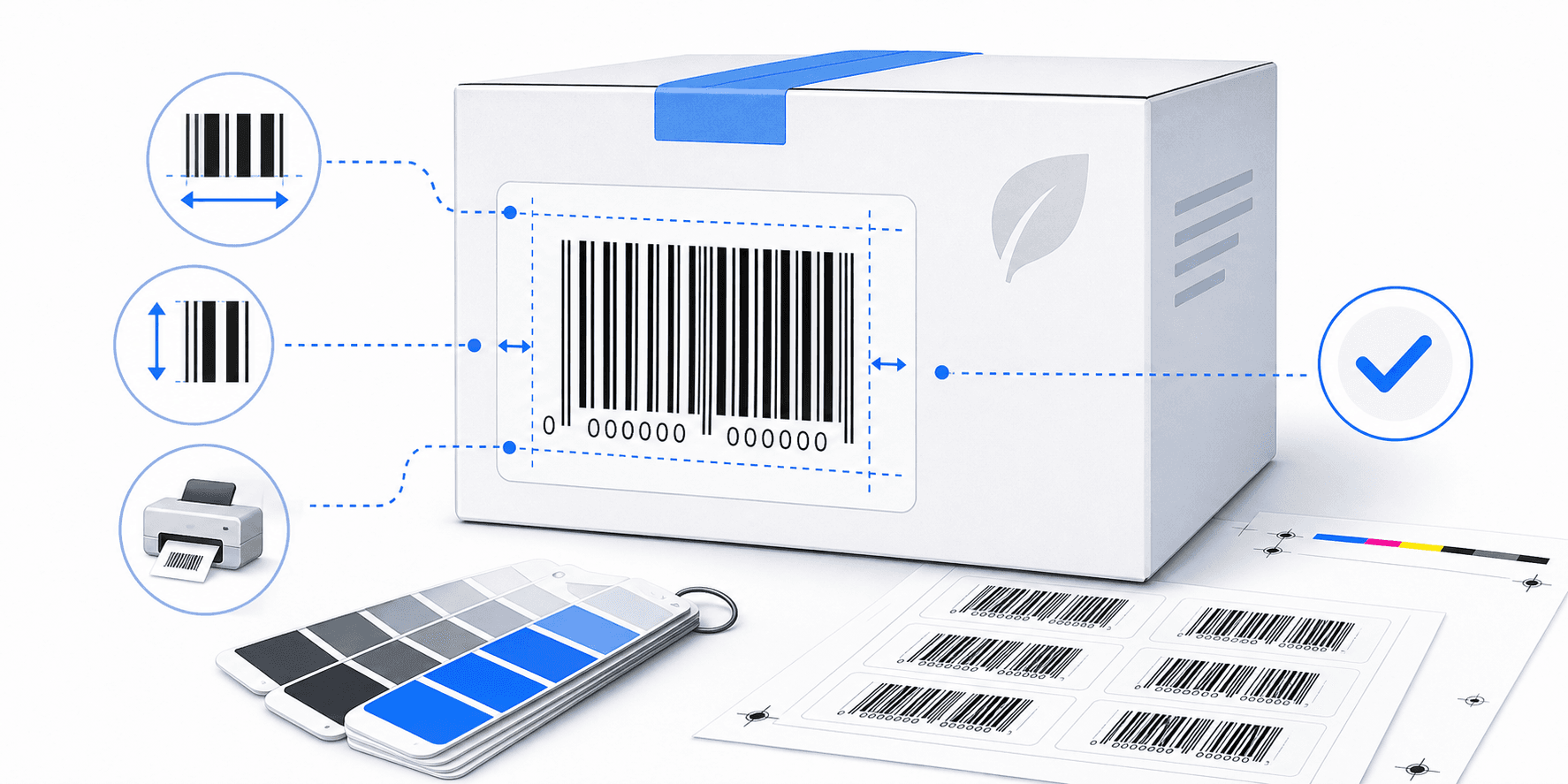
Designing product packaging is a balancing act between aesthetics and utility. A beautiful label is practically useless if the checkout scanner at a major retailer fails to read the barcode. Here, we outline the design rules required to keep your assets scannable:
1. Respecting the Quiet Zone Safety Margins
Optical laser scanners detect the transition between background light reflections and dark bar lines. To calibrate this baseline, they require a clear border of solid white space (called the **Quiet Zone**) to the left and right of the barcode lines.
Cropping white borders, printing text close to bars, or running design graphics near the edges can throw off scanner math. For EAN-13, maintain quiet zones of at least 3.63mm on the left and 2.31mm on the right.
2. Contrast Calculations: Black on White is standard
Scanners utilize red laser wavelengths, which read red ink lines as white spaces because they reflect red light entirely. Thus, printing red bar lines on white backgrounds will result in scanning failures.
- Recommended: Rich dark gray, black, navy blue, or dark forest green lines on pure white, yellow, or light pastel backgrounds.
- Forbidden: Red, light brown, gold, or neon bars, as well as metallic foil backdrops.
3. Sizing Suffix constraints
Aim for high vector clarity. Download your assets as SVG vectors to ensure scale operations do not degrade line quality, or use uncompressed 300 DPI PNGs to print clean, crisp labels.
Need to print and export custom barcodes?
Compile bulk CSV spreadsheets or single assets for packaging layouts using our 100% free offline algorithms.
Frequently Asked Questions
Yes, provided the contrast ratio is high. Dark blue, green, or black lines on a solid white or light-yellow background will scan perfectly.
Extremely shiny glossy paper or plastic laminate can reflect barcode lasers, causing read errors. Semi-gloss or matte sticker paper is highly recommended.